
Track Crew Hours Even Where There's No Signal.
A QR code time clock built for jobsites, trailers, and remote sites — offline-first, flat-rate, yours.
Cloud time-tracking apps assume every site has wifi. Yours doesn't. When the connection drops on a new build or a rural job, cloud clocks freeze, punches vanish, and you're back to texting photos of a paper sheet.
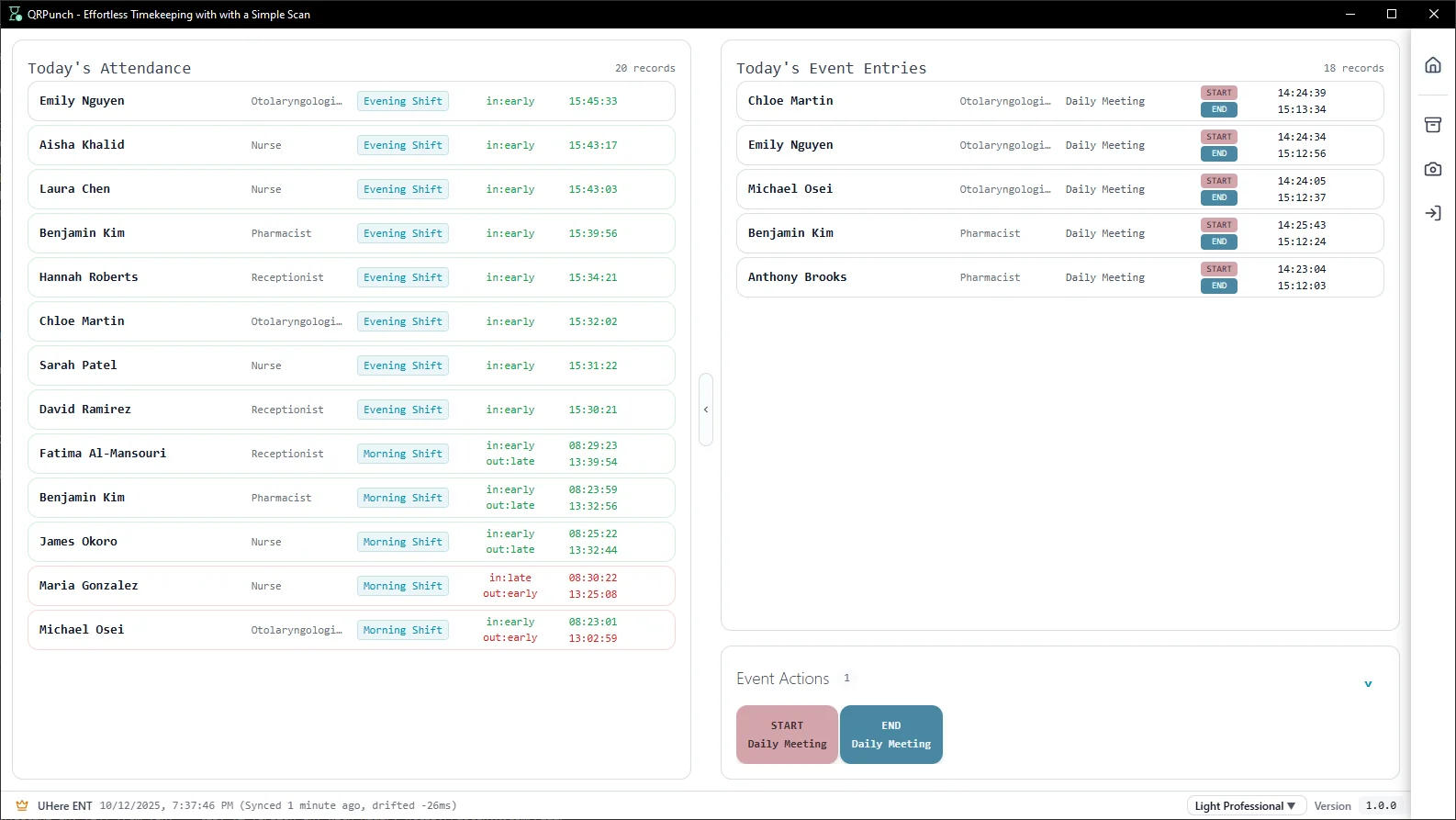
QRPunch runs on a single Windows PC in the trailer. Workers scan, the punch saves locally, and payroll exports clean — no bars, no dead apps, no lost hours.
Time tracking shouldn't be the hard part of your day
Time tracking on a jobsite breaks in ways an office never sees. These are the failures QRPunch is built to remove.
Dead zones eat your punches
New builds, basements, and rural sites have no signal. Cloud apps either block the clock-in or 'sync later' and quietly drop records. QRPunch records every punch to the local database the instant it's scanned.
Buddy punching on a big crew
When 20 people clock in at 6:55am, it's easy for one to punch in two. SecurePunch codes refresh every 3 seconds on each worker's phone, so a screenshot or a borrowed card won't work.
Sunday night spent rebuilding timesheets
Paper sheets get rained on, lost in trucks, or 'estimated' from memory. QRPunch exports an accurate XLSX or CSV by worker and day — payroll in minutes, not a weekend.
No proof when hours get disputed
If a worker or a client questions logged hours, you need a record. Every punch, edit, and deletion is timestamped with who did it — an audit trail that holds up.
Built offline-first, not offline-as-an-afterthought
QR scanning and attendance recording work with zero internet on every plan — that's the default, not a degraded mode. The clock station is a Windows PC in your trailer or site office; punches write straight to a local database. Reconnect whenever you're back in coverage; nothing was waiting on the cloud to begin with.
Works in trailers, basements, and rural sites with no signal
Up and running in under 15 minutes
Add your team
Enter each person's name and QRPunch generates a unique SecurePunch code — an encrypted QR that refreshes every 3 seconds, making screenshots and buddy punching impossible. Prefer physical cards? Print and laminate basic QR cards instead.
Set up a scan station
Any Windows PC with a webcam becomes a clock-in terminal. People hold up their phone or printed card — clocked in under 1 second, no touch and no signal required.
Review & export
See who's in and who's out in real time. On Pro and Enterprise, export attendance to Excel or CSV for payroll with one click.
Trusted by small businesses across industries

"No more chasing down lost paper sheets or manually updating spreadsheets. Staff scan a QR code when they walk in, and I get a clean Excel export for payroll at the end of the month. It's simple and it works."

"...Now my employees just scan their QR cards when they clock in and out - takes like 2 seconds and no more fudging times or buddy punching. I'm not a tech person at all but the interface is really straightforward..."

"...(translated) This feature is really practical and completely solves the previous problem. Scan it at the computer camera to complete the check-in, which is really fast..."
Reviews from Microsoft Store — verified purchases
One flat price. No per-employee fees.
Upgrade only when your team grows.
Unlike cloud competitors charging $5–8 per employee per month, QRPunch uses flat-rate tiers. A team of 20 costs the same whether you have 6 or 20 people.
Free Starter
Up to 5 employees
Free forever, no trial period
Pro
Up to 20 employees
Or $190/year — save 16%
Enterprise
Up to 50 employees
Or $490/year — save 16%
Before you download
We move between sites. Can I take the clock station with us?
Yes. QRPunch runs on any Windows 10/11 laptop with a webcam — close it up, move it to the next site, open it back up. Your database is a single portable file, so all crew and history travel with the machine. Back it up to a USB drive or site network share for safety.
Can different crews or foremen have their own setup?
You can run QRPunch on more than one Windows PC, and each station records punches locally. Today, records aren't auto-synced between stations — consolidated multi-station sync is on the roadmap. If you need crews reporting to one machine, a single trailer station handles a full crew comfortably.
Do workers need to install anything or have data on their phone?
Their choice. Workers can use the free SecurePunch app to show a rotating QR code on their phone, or you can print and laminate QR cards — handy for crews who'd rather not use their own phones. Either way, scanning happens at your station and needs no signal on the worker's side.
How does this handle overtime and overnight shifts?
Work hours are calculated automatically from clock-in/out pairs on Pro and Enterprise. Overnight shift support (punches crossing midnight) is included on the Enterprise plan — useful for night pours, security, and round-the-clock sites.